

VideoStudio
A simple and fast video editor that works entirely on your computer. Put clips on the timeline, add titles and subtitles, export to MKV, MP4 and other formats.
Windows 10 and 11, 64-bit, about 155 MB (installer). Run it and follow the steps: no administrator rights needed.
File check (SHA-256): EFD7178ED50BFC5216740B22BFCA1D04D948DA14AFF56F22239887EC712D4FD0
What it does
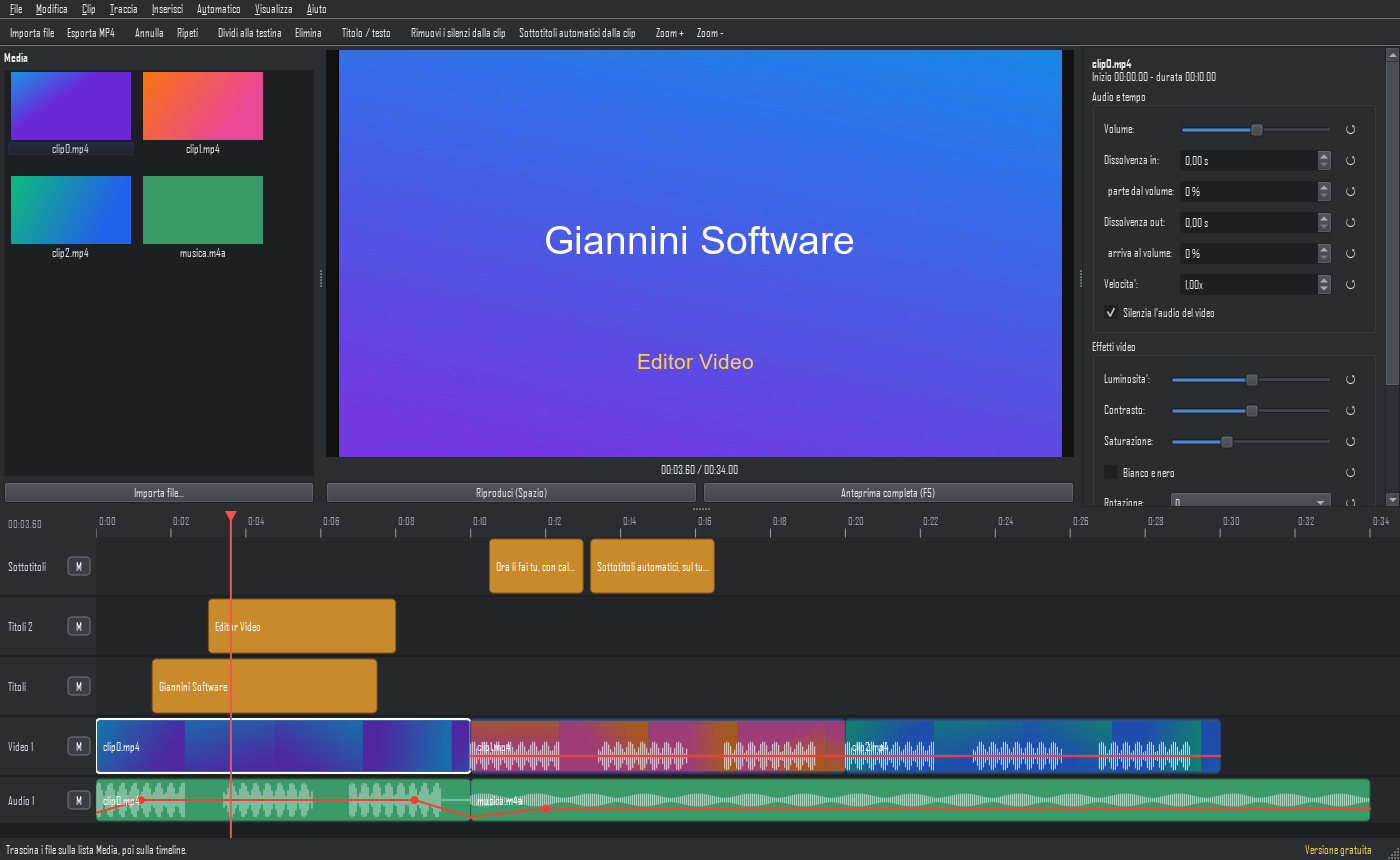
Multitrack timeline
Video, images and audio on several layers, with cuts, moves, snapping, speed and fades.
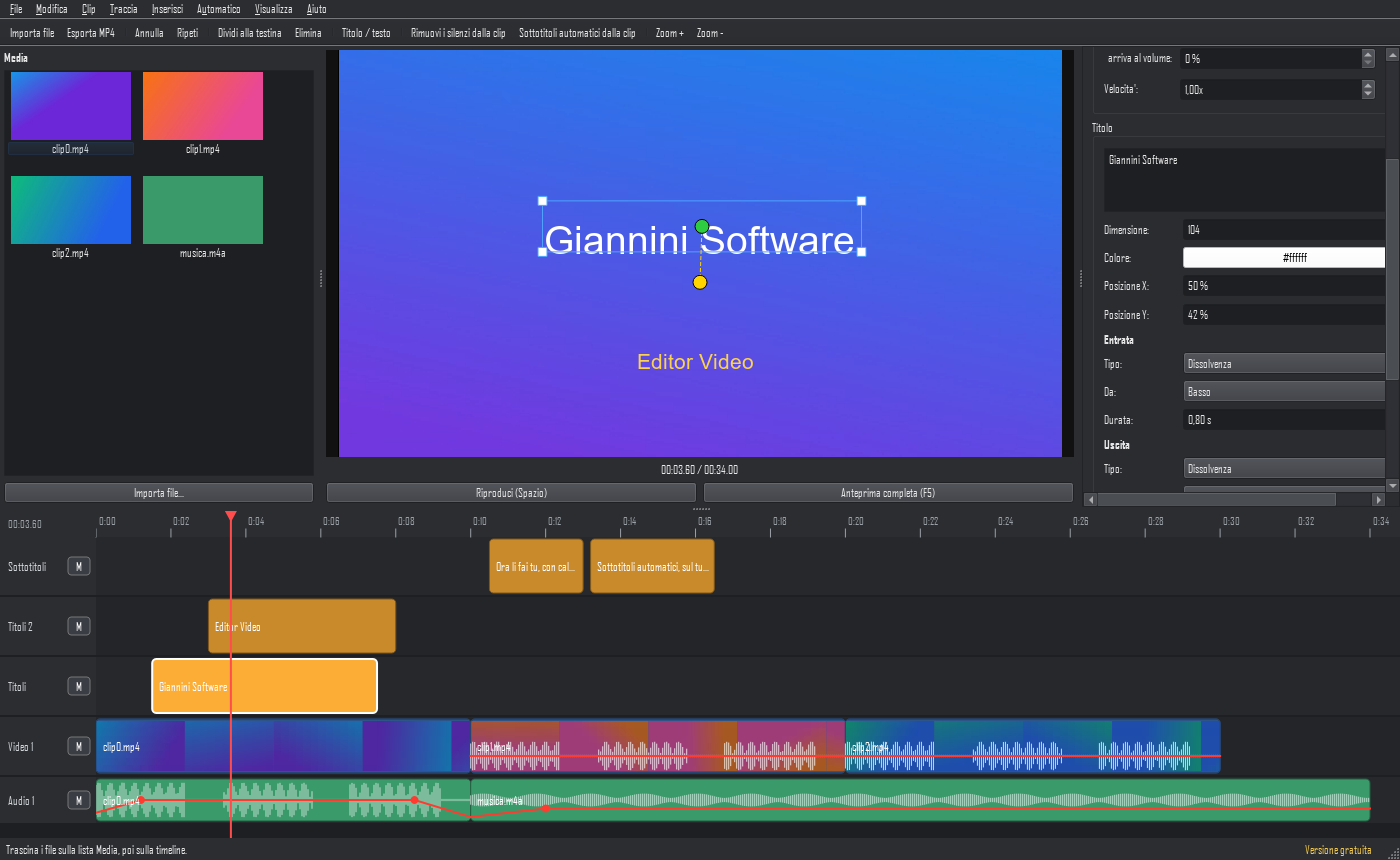
Animated titles
In, out and movement from one point to another; move and resize them right on the preview.
Video filters with start and end
Brightness, contrast, saturation, blur, sharpness, black and white, rotation, zoom, crop and aspect ratio, oval or rectangular masks that follow a face. Each filter is a block on the timeline with its own start and end: you see it, move it, stretch it.
Color, green screen and movement
Temperature, tint and vignette, looks from a LUT file, a green background removed with chroma key (put another video behind it) and zoom with movement on keyframes: start wide and slowly move in on the subject.
Clip entrances
Clips can slide in from a side, wipe in, open as a circle or zoom from the center, besides the fades.
You do not lose your work
Every minute the program keeps a safety copy: if it closes badly, it offers to pick up from there when you reopen it. With 4K videos it uses a light copy for the preview so it plays smoothly; the export always uses the original.
Audio filters with start and end
More than forty filters: fades, noise cleaning, equalizer, compressor, voice effects, echo, stereo and pitch, with ready presets and a switch to listen with and without. You hear them during playback too.
Stickers for social media
A library of 45 stickers (follow, arrows, labels, decorations) and text stickers such as “Part 1/2”: choose color, proportions, rotation, transparency and animation, or import your own PNGs.
Audio under control
Waveforms, volume with fades in percent, muting clips and tracks, audio separated from the video.
Editing from the text
From the subtitles you get a list of everything you say: untick the sentences you do not want (all the “um”s with one click) and the program cuts them from video and audio, closing the gaps. You can undo it.
Automatic chapters
Finds where the topic changes in the speech and proposes chapters with a draft title for you to fix. Copy them already in the format for a YouTube description, save them to a file or put them on the video as titles.
Automatic silence removal
Finds the pauses in speech and removes them, closing the gaps and keeping video and audio in sync.
Automatic subtitles
Transcription on your own PC with Whisper, also using an NVIDIA graphics card: a two-hour film in a few minutes (about 7 with an RTX 3060). Pick the model, from 31 MB to 3 GB. Sentences with no detected voice go into a separate track to review. Nothing is sent online; edit them and save as .srt.
Multi-select and join
Select several clips (Ctrl or Shift + click, or drag a rectangle) and join them without re-encoding, keeping the volume and effects already set.
Title style
Font, size, color and distance from the bottom: set them once and apply them to all subtitles or all titles.
Many tracks, in order
Vertical scrolling and track groups (text, video, audio) that you open and close with one click.
Ready for social media
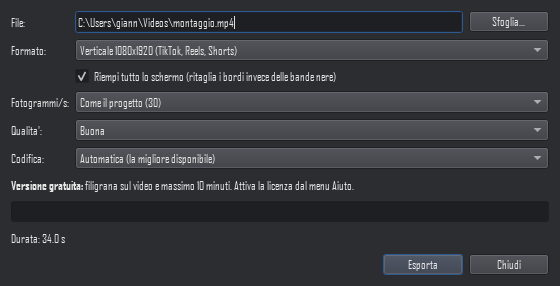
Ready-made formats for YouTube, TikTok, Reels, Shorts, Instagram and more: pick the platform and the program sets format, resolution and speed. It works both when exporting and when creating a new project.
Full preview
See the result with effects and titles before exporting.
Fast export
MKV, MP4, AVI, WebM or MOV; using your graphics card (NVIDIA, Intel, AMD) or Windows, with no extra software. Projects (.vep) open with a double click.
What it looks like
Pricing
Free
- All the features
- A discreet diagonal text on the video
- Exports up to 10 minutes
Full
once, forever
- No text on the video
- No length limit
- Up to 3 computers with the same key
- Updates of the same version
The price includes taxes. Payment will be handled by a payment partner acting as the official seller, who sends the receipt and the key.
Frequently asked questions
Are my videos uploaded online?
No. The program works on your computer and sends none of your files to any server.
Do I need internet?
Only to activate the license and, the first time, to download the automatic subtitles modules (from about 40 MB to over 3 GB depending on the model; about 650 MB more to use the graphics card). After that it also works offline.
Are the automatic subtitles accurate?
It depends on the film. With clear dialogue there are few errors; with music, songs or explosions the program may get words wrong or miss sentences. Sentences with no detected voice go into a separate track to review. It saves a lot of time, but it is not already perfect.
Which files can I import?
MP4, AVI, MKV, MOV and other videos, images and audio files. You can export to MKV, MP4, AVI, WebM or MOV.
How do I install it?
Download the installer and run it: it installs VideoStudio for your user, creates the shortcuts and makes your projects (.vep) open with a double click. To remove it, uninstall it from Windows. Windows may show a warning because the program is new and not yet signed: choose “More info” and then “Run anyway”.
What computer do I need?
Windows 10 or 11, 64-bit. A recent graphics card makes export much faster.
Can I get a refund?
Yes, within 14 days of purchase, no questions asked. See the Refunds page.
Terms, privacy and refunds: Terms of service · Privacy · Refunds · Contact