

Video Editor
A simple and fast video editor that works entirely on your computer. Put clips on the timeline, add titles and subtitles, export to MP4.
What it does
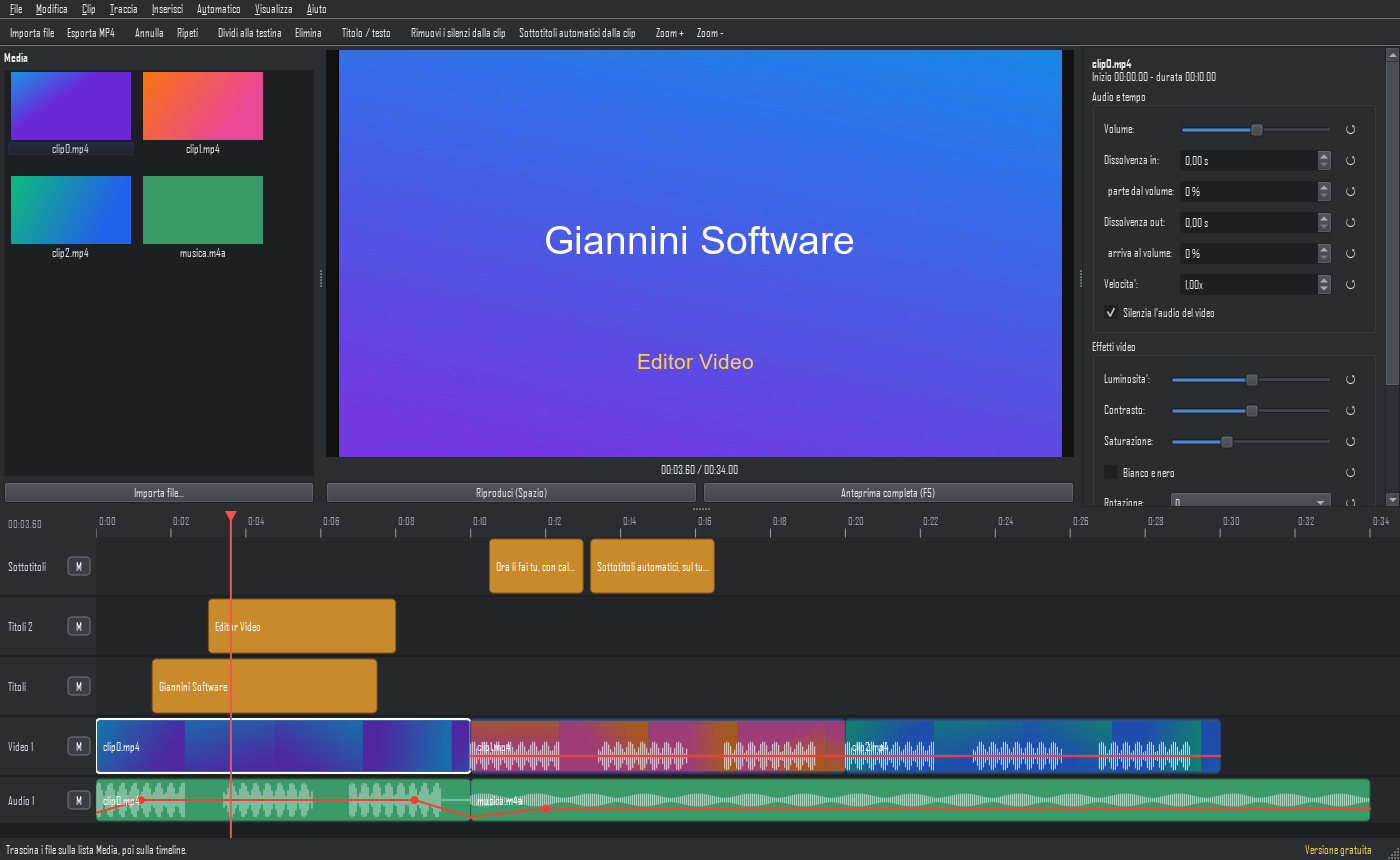
Multitrack timeline
Video, images and audio on several layers, with cuts, moves, snapping, speed and fades.
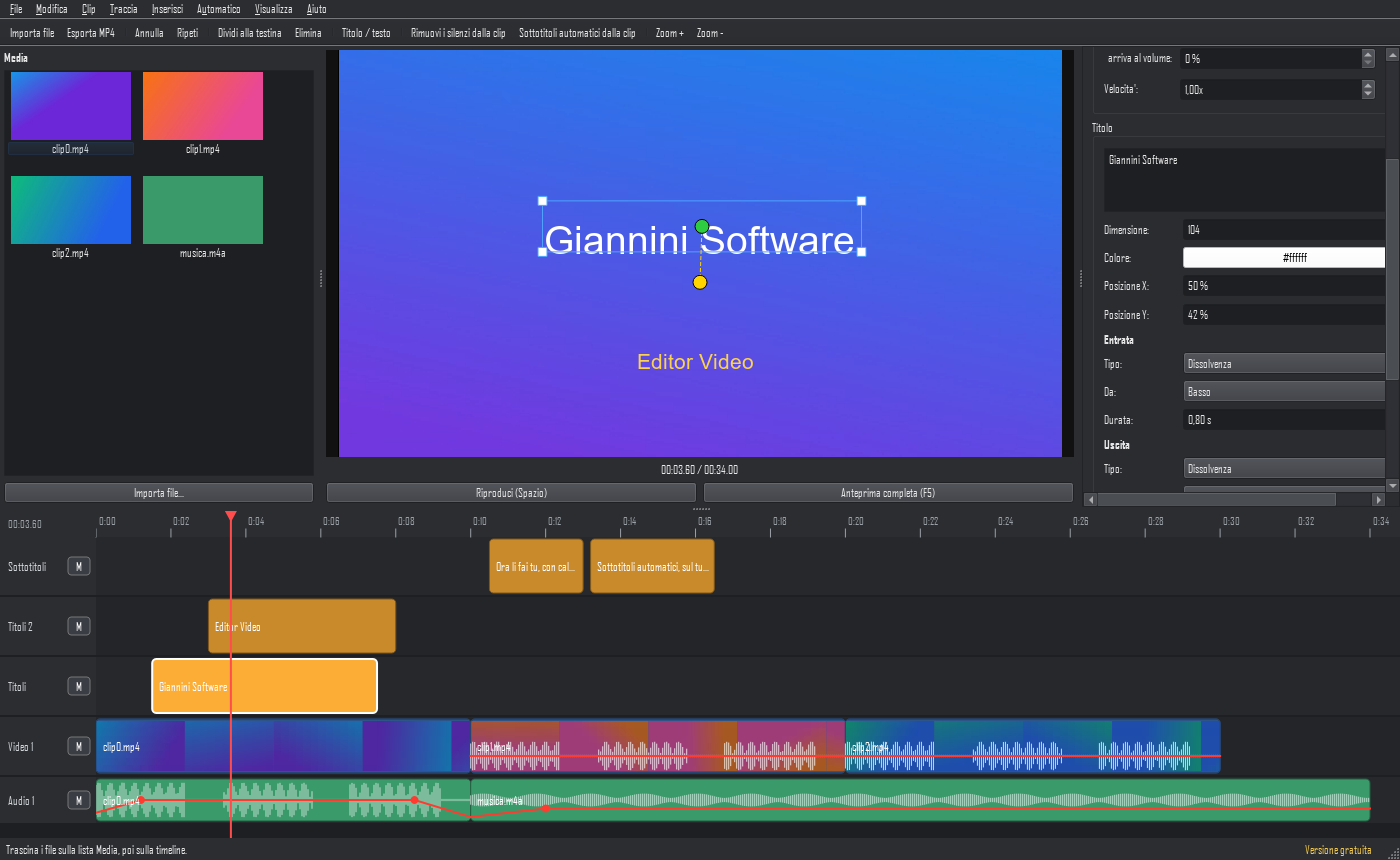
Animated titles
In, out and movement from one point to another; move and resize them right on the preview.
Effects and transitions
Brightness, contrast, saturation, black and white, rotation, zoom. Every value resets with one click.
Audio under control
Waveforms, volume with fades in percent, muting clips and tracks, audio separated from the video.
Automatic silence removal
Finds the pauses in speech and removes them, closing the gaps and keeping video and audio in sync.
Automatic subtitles
Transcription on your own PC (Whisper): nothing is sent online. Edit them and save as .srt.
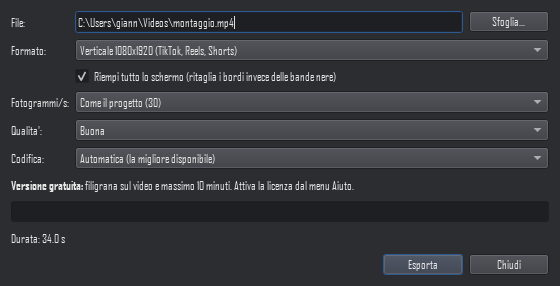
Ready for social media
Export vertical for TikTok and Reels, square for Instagram, or landscape for YouTube.
Full preview
See the result with effects and titles before exporting.
Fast export
MP4 using your graphics card (NVIDIA, Intel, AMD) or Windows, with no extra software.
What it looks like
Pricing
Free
- All the features
- A discreet diagonal text on the video
- Exports up to 10 minutes
Full
once, forever
- No text on the video
- No length limit
- Up to 3 computers with the same key
- Updates of the same version
The price includes taxes. Payment will be handled by a payment partner acting as the official seller, who sends the receipt and the key.
Frequently asked questions
Are my videos uploaded online?
No. The program works on your computer and sends none of your files to any server.
Do I need internet?
Only to activate the license and, the first time, to download the automatic subtitles module. After that it also works offline.
Which files can I import?
MP4, AVI, MKV, MOV and other videos, images and audio files. Export is MP4.
What computer do I need?
Windows 10 or 11, 64-bit. A recent graphics card makes export much faster.
Can I get a refund?
Yes, within 14 days of purchase, no questions asked. See the Refunds page.
Terms, privacy and refunds: Terms of service · Privacy · Refunds · Contact